


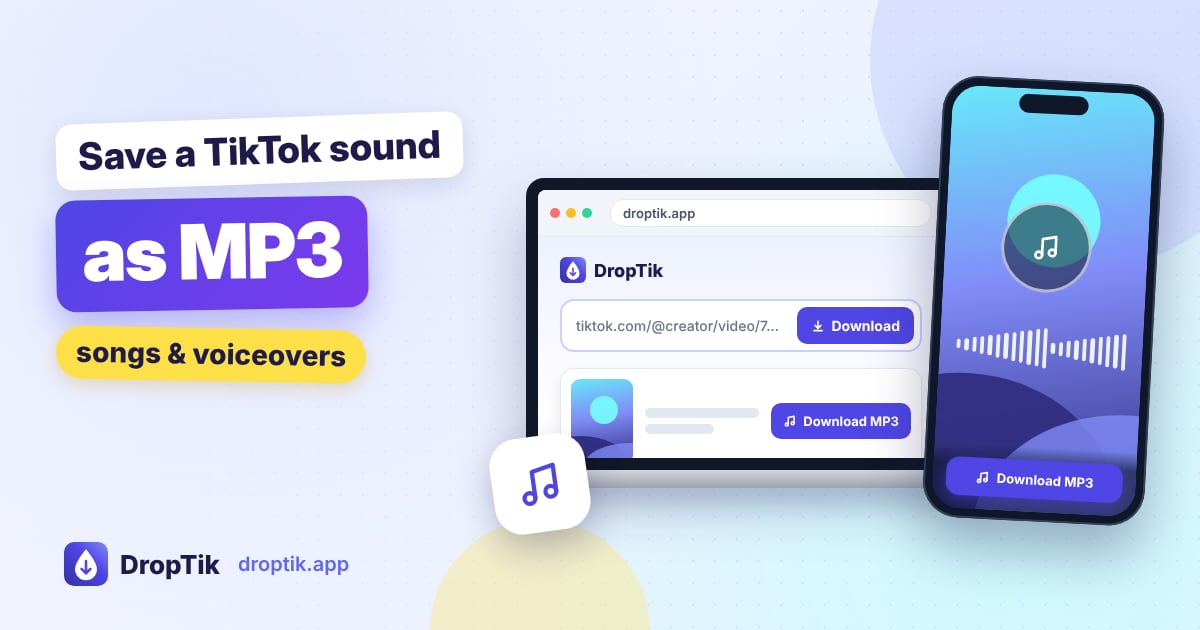
To save a TikTok sound as an MP3, copy the link of a video that uses the sound, paste it into the TikTok to MP3 tool, and tap Download MP3 audio. You get just the audio, no video, in a file that plays on any phone, computer or car stereo.
The trick most people miss is that you need the link to a video, not to the sound's own page. This guide explains why, shows where the file goes on each device, and covers a few things you can do with it, like turning it into a ringtone.
Why you need a video link, not the sound page
On TikTok, every sound has its own page that lists all the videos using it. That page is handy for browsing, but it isn't a single post with a file behind it. DropTik works with posts, so it needs the link of one specific video.
The good news is that any video using the sound will do. Pick one where the sound plays cleanly, ideally without someone talking over it, and use that video's link.
Step by step: TikTok to MP3
- Find a video with the sound. Open the sound page in TikTok if you like, then tap any video that uses it.
- Copy the video link. Tap Share, then Copy link.
- Paste it into DropTik. Open the TikTok to MP3 page, tap Paste, then Download.
- Save the MP3. In the results, tap Download MP3 audio.
That's all. The file name starts with droptik.app, so it's easy to find later.
You can also grab the MP3 from the main downloader: the MP3 option appears in the same results list as the video options.
Where the MP3 ends up
Android: in the Download folder. Open Files by Google, My Files on Samsung, or your phone's file manager and look under Downloads. Many music players don't scan the Download folder automatically, so if the track doesn't appear in your music app, move it to the Music folder.
iPhone and iPad: in the Files app, under Downloads. Tap the file to play it. The built-in Music app can't import MP3 files from Files, so it won't show up in your Apple Music library. You can still play it in Files, use it in GarageBand or iMovie, or share it to another app.
Windows and Mac: in your Downloads folder. Double-click to play, or drag it into your music library or editing software.
What people use TikTok MP3s for
Listening offline
Found a song in the background of a TikTok and want it for your commute? Saving the MP3 means you can listen without the app and without data. If it's a commercial song, it's worth looking it up on a music service too, since the TikTok version is often a short clip.
Editing your own videos
MP3 files drop straight into CapCut, iMovie, Premiere, DaVinci Resolve and most other editors. Just keep copyright in mind: using a commercial song in a video you post elsewhere can get it muted or taken down. Inside TikTok itself, adding a sound to your video through the app is covered by TikTok's licences, so that's the safer route for TikTok posts. Business accounts should stick to TikTok's Commercial Music Library.
Saving voices and talks
Not every sound is music. Recipes read aloud, language lessons, motivational talks and short podcast clips are all easier to revisit as audio.
Making a ringtone
On Android: move the MP3 to the Ringtones or Music folder, then go to Settings, Sound (or Sound and vibration), Ringtone, and add the file. The exact menu names vary by brand, but there's usually a "+" or "Add" option that lets you pick any audio file.
On iPhone: open GarageBand, create a project and import the MP3 from Files, then trim it to under 30 seconds. In the GarageBand song browser, long-press the project, tap Share and choose Ringtone. It then appears in Settings, Sounds and Haptics, Ringtone.
Trimming the MP3
TikTok sounds often start or end abruptly, or include a few seconds you don't want. You can trim them for free:
- On iPhone: GarageBand lets you drag the start and end of the audio region, then export.
- On Android or iPhone: CapCut can import the MP3, trim it on the timeline and export the audio.
- On a computer: Audacity (free, Windows and Mac) opens MP3 files; select the part you want, then use File, Export.
Trim on a copy, so you still have the original if you change your mind.
Audio quality: what to expect
The MP3 contains the same audio TikTok plays in the app. DropTik doesn't boost or clean it up, so:
- If the creator talked over the music, the voice is in the MP3 too.
- If the sound is a short clip of a song, the MP3 is the same short clip.
- If the audio sounds compressed in the app, it'll sound the same in the file.
For the cleanest version of a sound, look for the video that first used it. TikTok often labels it as the original on the sound page.
When there's no audio to download
If the MP3 comes out silent or DropTik can't find an audio track, TikTok has probably muted the video. This happens when a song gets a copyright claim. You'll usually see a message in the TikTok app saying the sound isn't available. Try another video that uses the same sound and still plays it.
Private and deleted videos can't be downloaded at all, and that includes their audio. If you get an error with a public video, check you're in a real browser (not inside Instagram or Facebook) and try again after a minute.
Frequently asked questions
Is TikTok to MP3 free? Yes. No account, no sign-in.
Can I download the MP3 from a photo slideshow? Yes. Slideshow sounds appear below the pictures in the photo downloader results, and you can save them as MP3.
Can I get the audio from a TikTok Story? Yes, while the Story is still live. Paste the Story link into the MP3 tool.
Can I convert several TikToks to MP3 at once? The MP3 tool handles one link at a time, so you can pick the exact sound you want each time.